
Visual Automation
WhatsApp Chatbot: Guide customers with flows your team can see and improve
Design keyword and event-driven conversations, collect structured answers, call approved integrations, route to people, and continue follow-up through managed Bot Sequences.
- Visual flow builder
- Inputs, conditions, webhooks, and actions
- Human handoff and follow-up sequences
01 / WhatsApp Chatbot
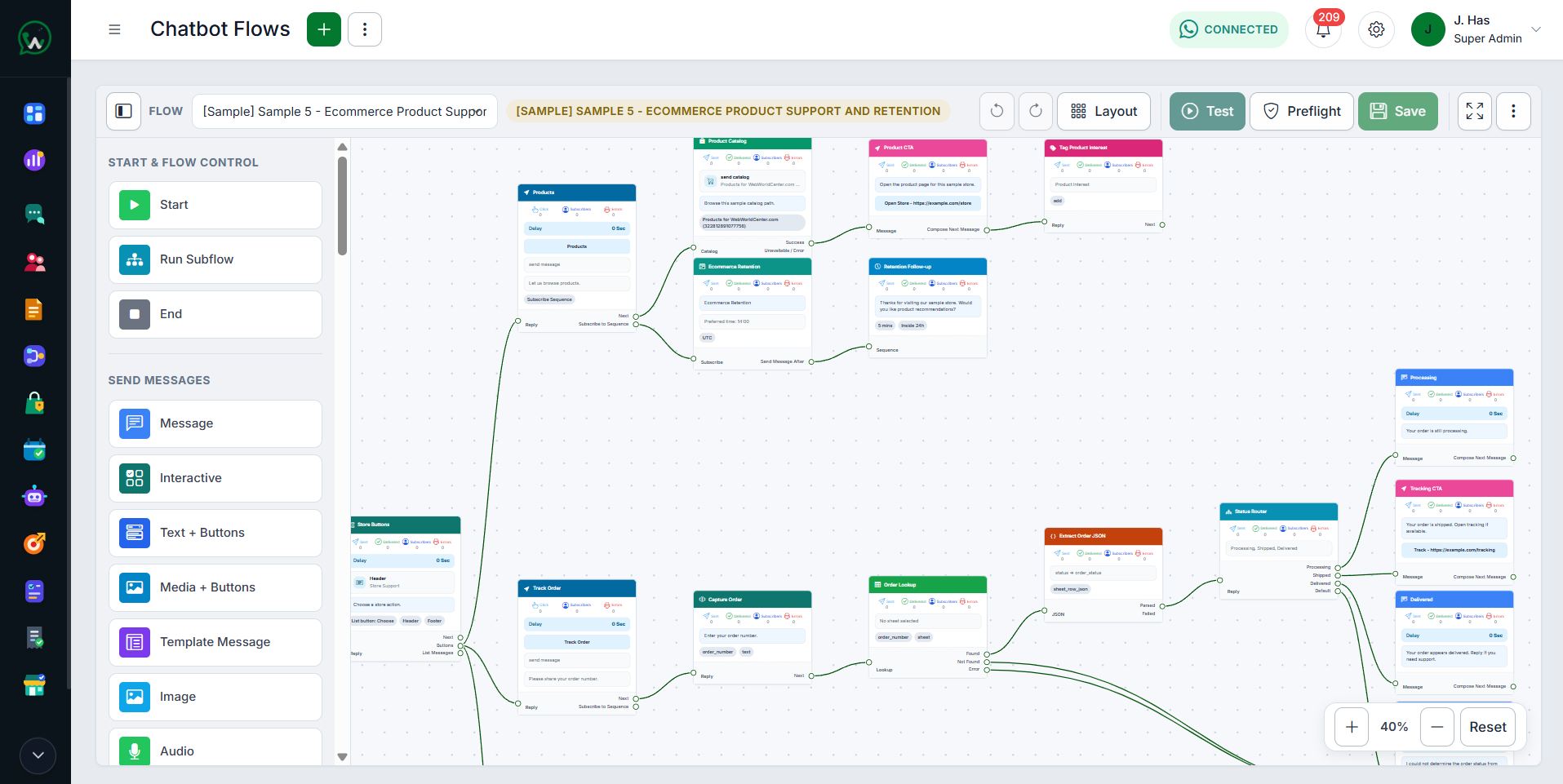
Build the journey from real conversation steps
Use messages, buttons, lists, input capture, conditions, delays, contact updates, tags, Google Sheets, and approved webhooks to create a flow that remains understandable after it goes live.
- Keyword and event triggers
- Guided customer input
- Simulator, import, and export controls
02 / WhatsApp Chatbot
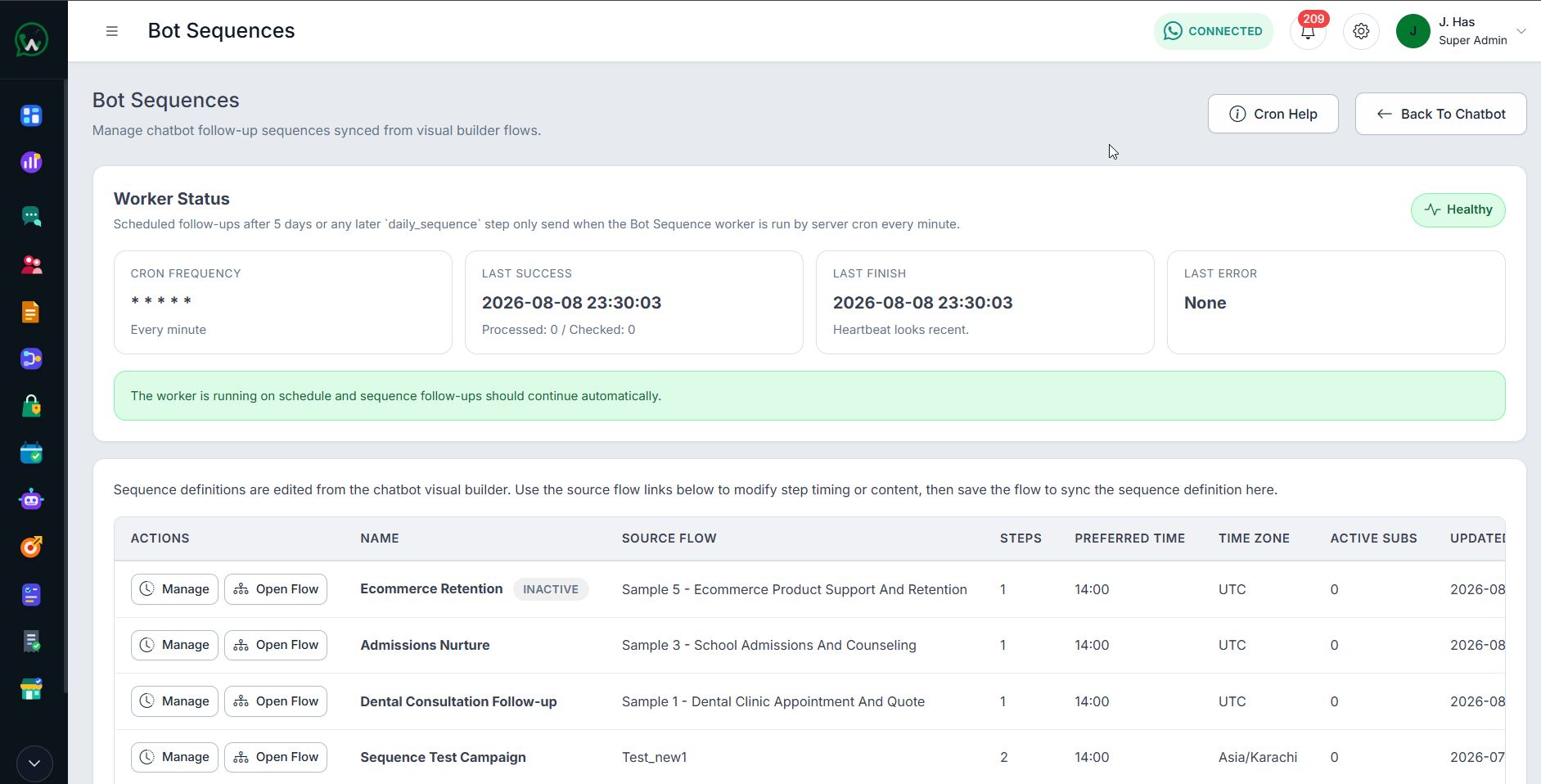
Continue the right follow-up with Bot Sequences
Enroll eligible contacts into ordered follow-up steps, use deliberate delays, monitor subscriptions, and pause, resume, retry, or reschedule work when state and permission allow. Worker health remains visible because delayed steps cannot run safely without it.
- Ordered follow-up steps and delays
- Subscription and progress visibility
- Pause, resume, retry, and reschedule operations
03 / WhatsApp Chatbot
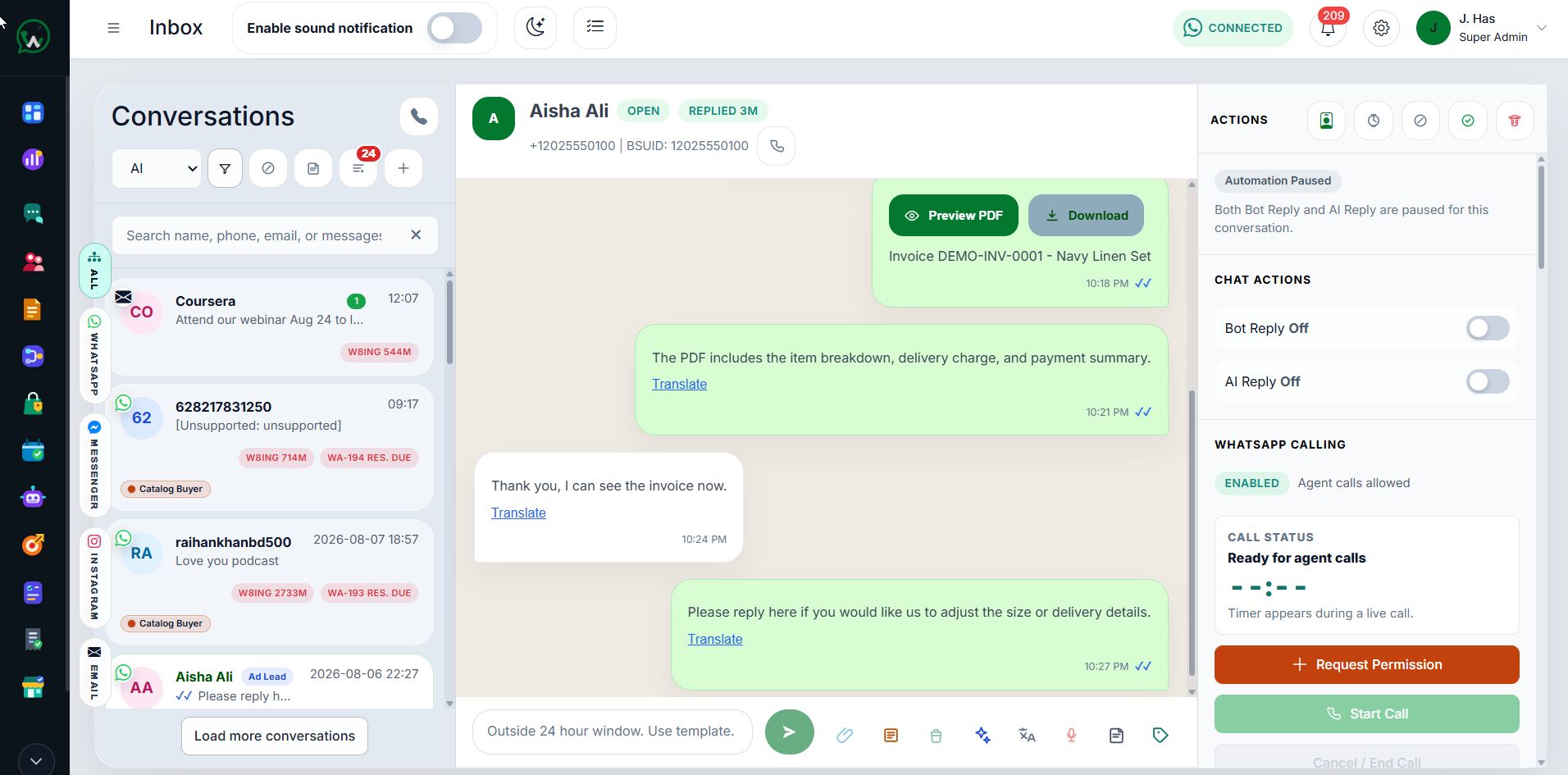
Hand control to people when automation should stop
Fallback, assignment, no-match behavior, AI governance, and operator handoff keep the chatbot from pretending it can resolve every request.
- Fallback assignment
- Offline and invalid-message behavior
- Governed AI and human escalation
Frequently Asked Questions
WhatsApp Chatbot questions
Is the WhatsApp chatbot a visual flow builder?
Can a team take over from the chatbot?
Does the chatbot ignore WhatsApp template and consent rules?
Start with WAPI
Test the complete platform for 15 days on the current highest plan.
No payment card is required for the current trial.