
Team Conversations
Shared Inbox: Give every conversation a clear owner and next action
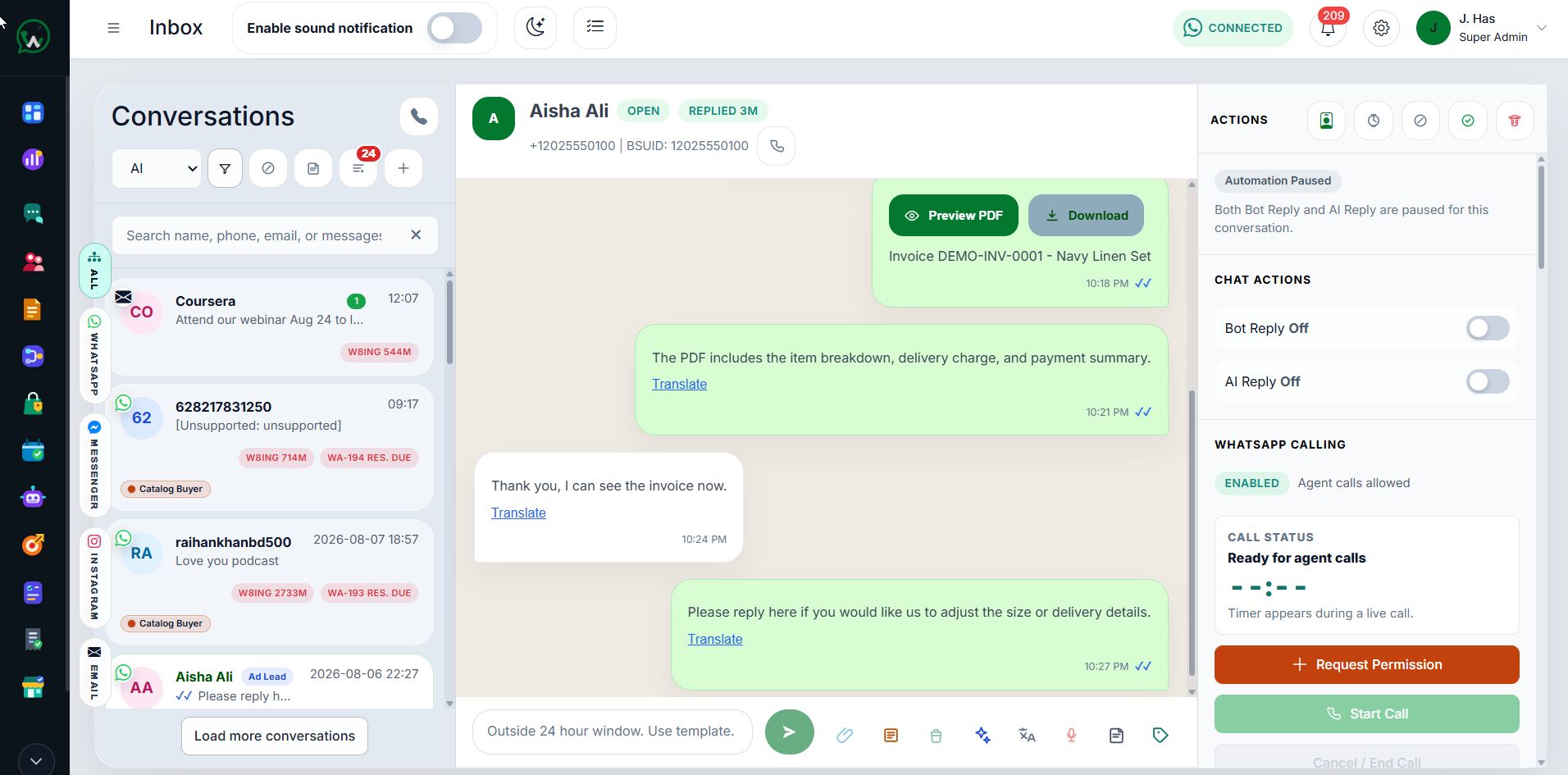
Bring customer messages, assignments, internal notes, tags, files, and related business actions into one shared operator workspace.
- Assignment and ownership
- Internal notes and context
- Templates, files, calls, and linked actions
01 / Shared Inbox
Keep the team aligned inside the conversation
Operators can review customer context, assign ownership, add private notes, use approved replies, and move between related records without reconstructing the conversation elsewhere.
- Agent and team assignment
- Search, filters, tags, and follow-up
- Customer and transaction context
02 / Shared Inbox
Protect response quality as volume grows
Permission boundaries, status filters, response expectations, and audit-friendly actions help supervisors keep work visible while agents focus on the conversations they are allowed to handle.
- Role-aware actions
- Conversation states and SLA visibility
- Human handoff from automation
Frequently Asked Questions
Shared Inbox questions
Can several agents use one WhatsApp business number?
Yes. The shared inbox supports team access, assignment, internal notes, customer context, and controlled permissions around connected WhatsApp conversations.
Does the shared inbox keep conversation ownership visible?
Assignments and team controls make the responsible agent and conversation state visible so work does not rely on a shared phone.
Can automation hand a conversation to a human agent?
Yes. Chatbot and AI-assisted paths can route or hand off work to the shared inbox when the configured workflow requires human attention.
Start with WAPI
Test the complete platform for 15 days on the current highest plan.
No payment card is required for the current trial.