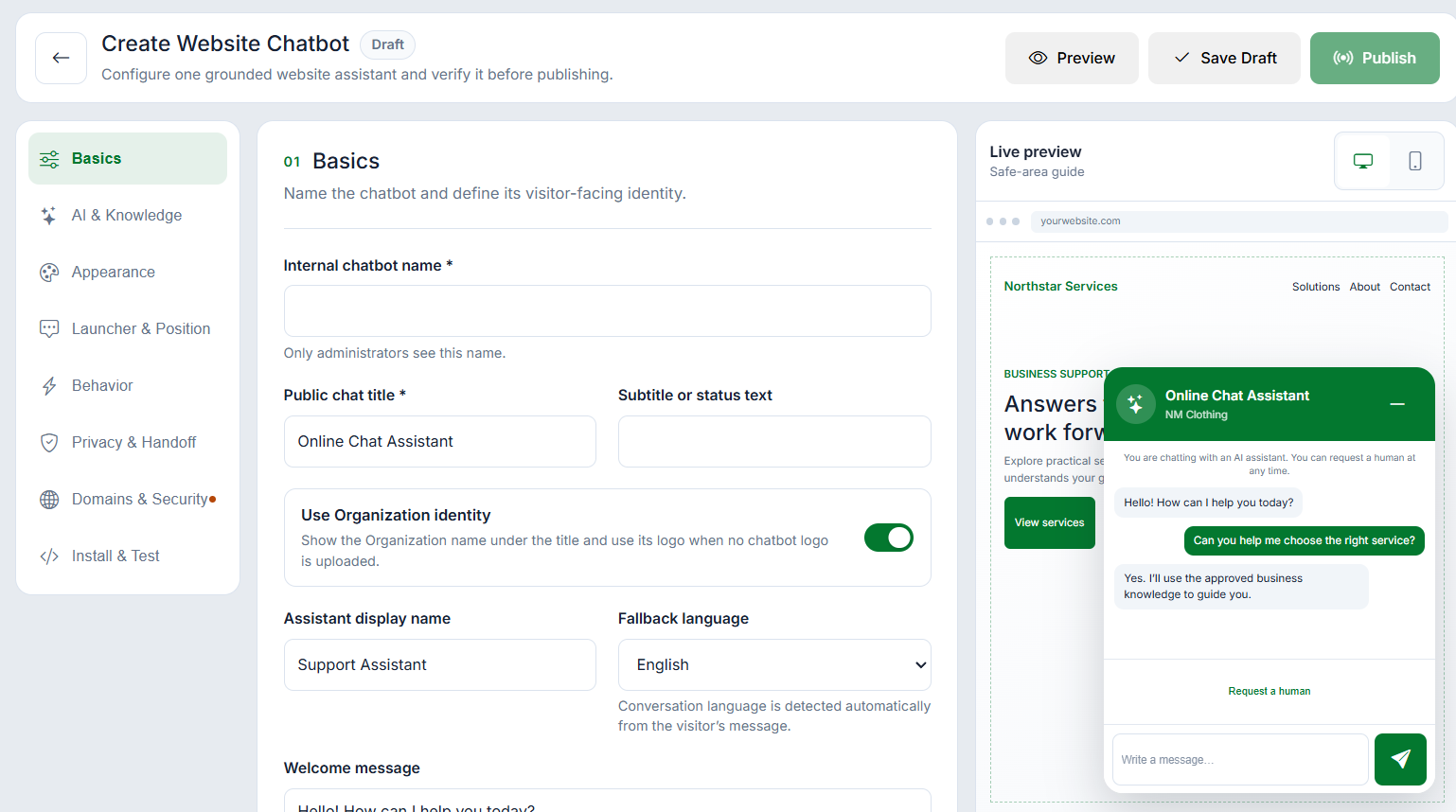
WAPI Website Chat builder with a live AI text-chat widget preview

Website Chat for AI Text and Voice Conversations

Add AI website chat and multilingual voice conversations to approved sites, with branded widgets, human handoff, consent controls, limits, and reporting.

  • Branded AI text chat for approved domains
  • Multilingual Website Voice AI
  • Human handoff, consent, limits, and reports

Add an AI text-chat widget to approved websites

Create a branded Website Chat assistant, select its approved knowledge, preview the visitor experience, restrict installation to exact origins, and publish a controlled version for a WAPI Online Store, WordPress site, or another approved website.

  • Brand, greeting, launcher, and position controls
  • Grounded AI knowledge and fallback behavior
  • Exact-domain authorization and publish workflow

Move text conversations into the shared Inbox

Keep visitor conversations visible to the operating team, capture the permitted customer context, and offer a clear human-request path. Configured visitor-message and AI-token ceilings can hand a conversation to the Inbox or close it safely instead of allowing unbounded sessions.

  • Conversation and visitor context
  • Human request and shared Inbox handoff
  • Message, token, and automatic-action limits
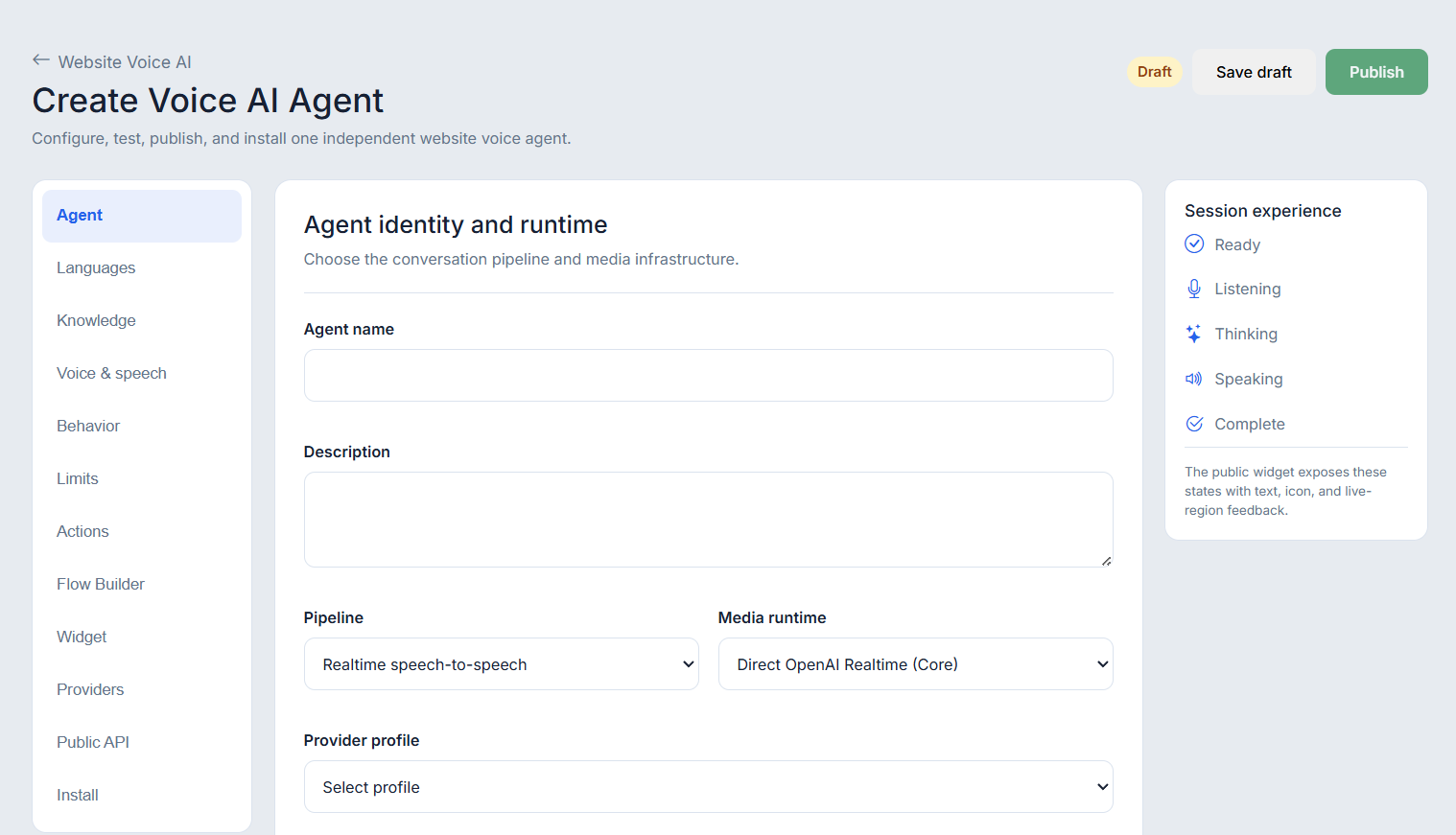
WAPI Website Voice AI workspace with runtime options and a published agent

Offer multilingual Website Voice AI

Publish a browser voice assistant with approved languages, knowledge, speech, behavior, action, and widget settings. Direct OpenAI Realtime is available alongside customer-controlled enhanced and optional managed LiveKit runtimes when each provider path is configured and healthy.

  • English, Urdu, and Arabic voice experiences
  • Direct and LiveKit runtime options
  • Listening, thinking, speaking, and completion states
Published WAPI Website Voice AI widget ready for a visitor voice session

Set consent, contact capture, limits, and reporting

Explain provider processing before a voice session, request browser microphone permission, apply the configured recording policy, collect callback or contact details when required, and enforce time, turn, token, inactivity, and retry controls. Session and outcome reports support review without turning availability into a performance guarantee.

  • Microphone, provider, and recording disclosure
  • Callback and contact-capture outcomes
  • Session limits, status, cost, and outcome reporting

Website Chat questions

Is Website Chat only for WhatsApp?
No. Website Chat is a first-party website channel for text and voice conversations. WhatsApp remains a separate channel, while approved customer and operating workflows can stay connected inside WAPI.
Can a visitor ask for a human?
Yes. Text chat can offer a human-request path into the shared Inbox. Voice AI can collect configured callback or contact details so the team can continue the request through the approved operational workflow.
Does Website Voice AI require microphone or recording consent?
A visitor must grant browser microphone permission before speaking. The widget discloses configured AI-provider processing, and recording follows the selected policy and applicable legal requirements rather than being assumed.
Can Website Chat be installed on WordPress or another domain?
Yes. Publish the assistant, authorize the exact website origin, and install the asynchronous loader on the approved site. Availability still depends on the selected plan and a healthy configuration.
Are Website Chat and Voice AI limits plan-dependent?
Yes. Feature access and workspace limits depend on the selected WAPIServer plan. Individual assistants also use configured session, message, token, time, turn, inactivity, and retry controls where applicable.

Test the complete platform for 15 days on the current highest plan.

No payment card is required for the current trial.