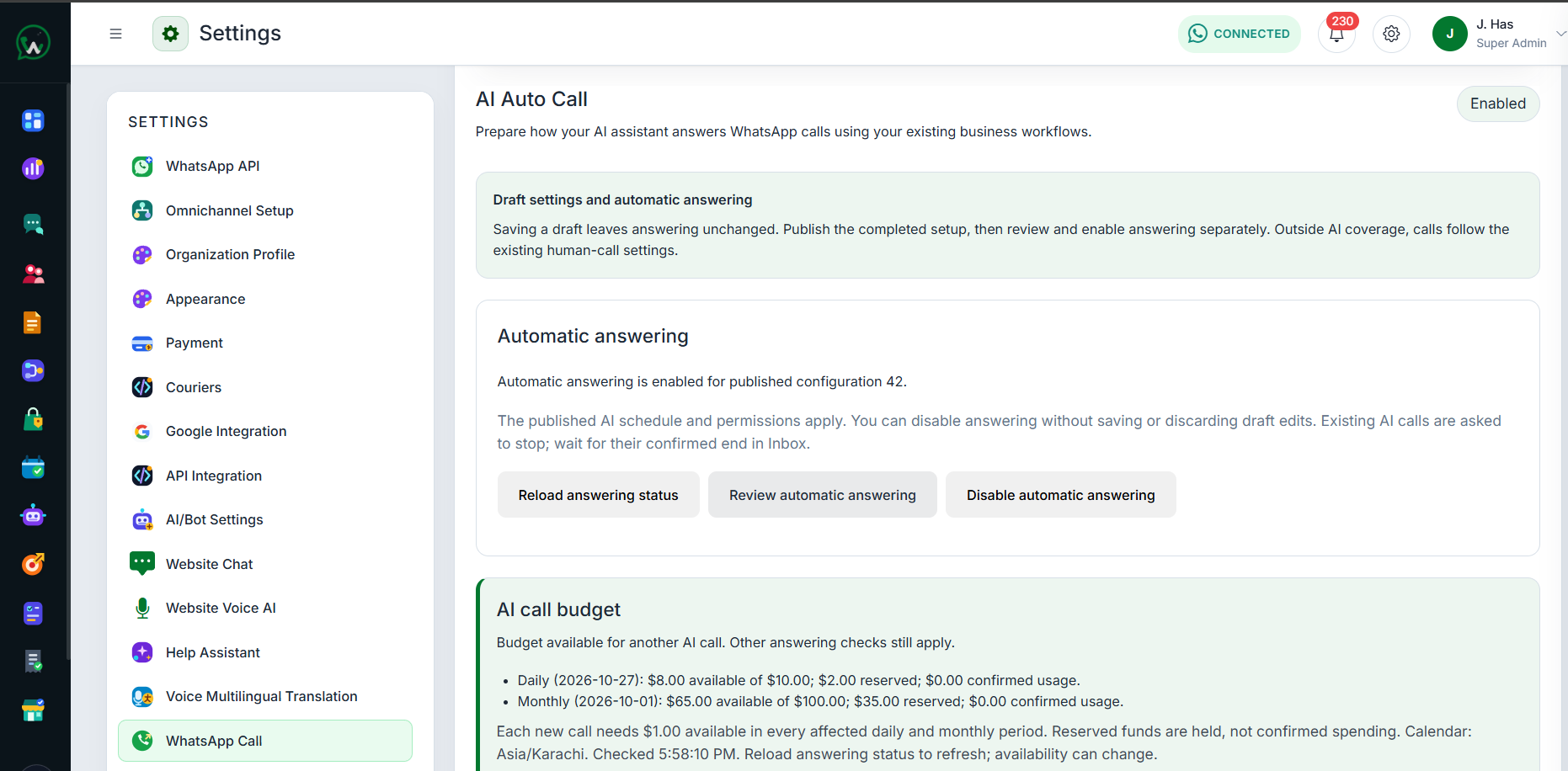
WAPIServer AI Auto Call settings with automatic answering status, budget controls, and governed configuration

AI call answering for your WhatsApp Business number Beta

Prepare WAPIServer to answer eligible incoming calls to your WhatsApp Business number with published knowledge, voice, limits, reporting, and governed commerce.

Beta release — available for testing while we continue refining the experience.

  • WhatsApp Business number only
  • Published knowledge, voice, schedules, and limits
  • Call reports, recordings, usage, and governed orders
  1. Control when automatic answering is active

    Keep draft changes separate from live behavior. Review and publish a complete configuration, then enable automatic answering independently. Published schedules and permissions apply, while calls outside AI coverage continue through the existing human-call settings.

    • Operation and business workflow controls
    • Published schedules, permissions, and coverage
    • Separate review, publication, and activation steps
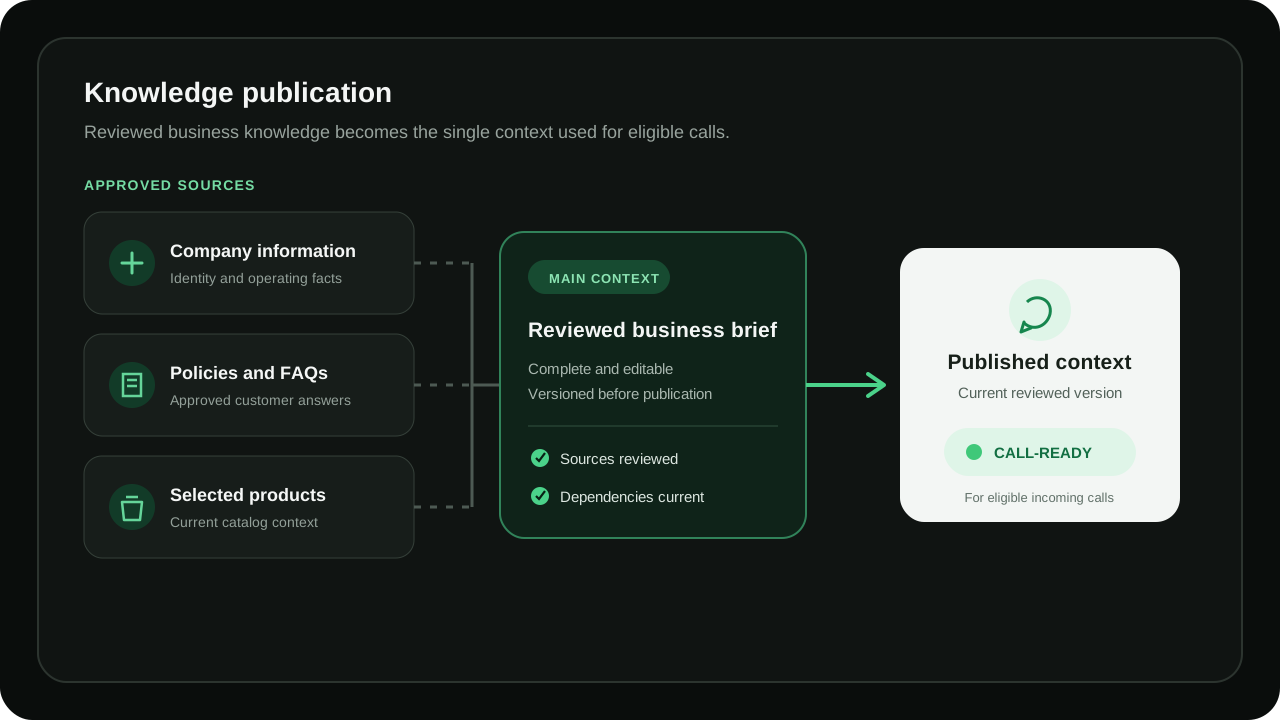
  2. Ground answers in a reviewed business brief

    Bring approved company information, policies, FAQs, and selected catalog products into one editable Main Context. WAPIServer shows its version and dependency state before publication so the live assistant can use reviewed facts instead of inventing business details.

    • Separate company, policy, FAQ, and product editors
    • Editable, versioned Main Context
    • Dependency and stale-state checks before publication
    Diagram of approved business knowledge combined into a published WhatsApp AI Call context
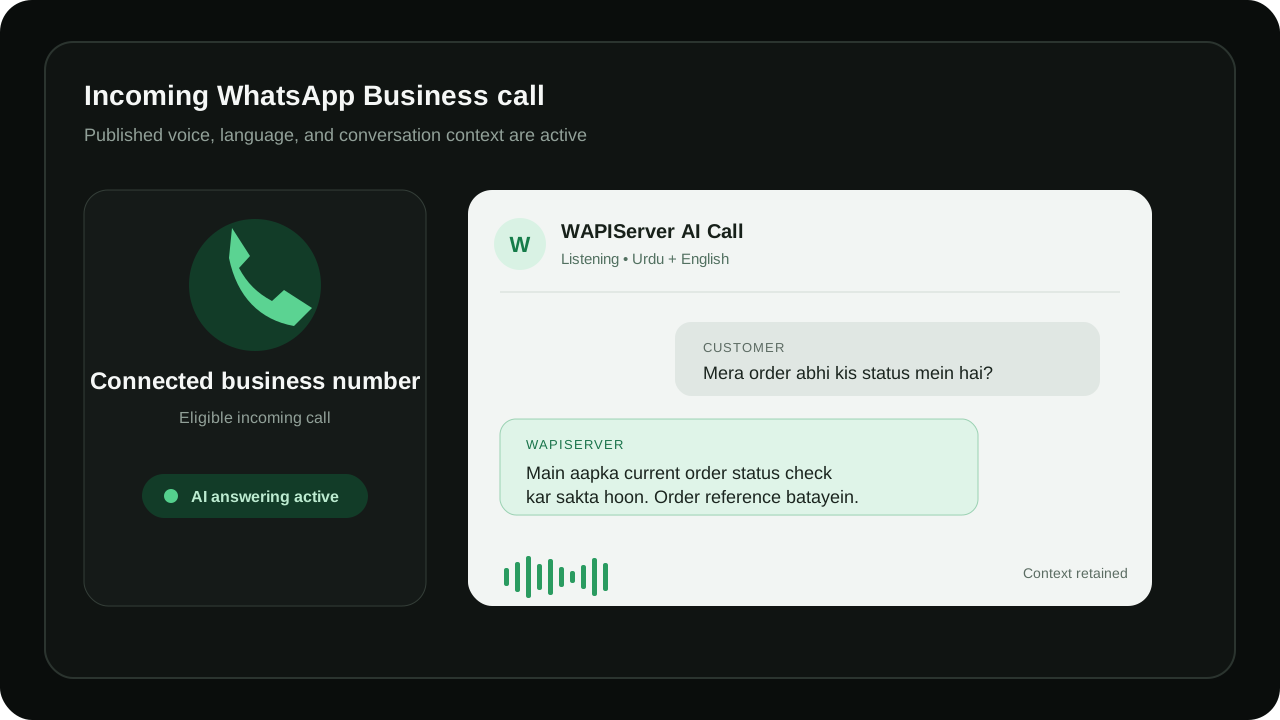
  3. Use a consistent voice with natural Urdu and English

    Select the configured voice, persona, provider, model, and language behavior for the published revision. The assistant can follow Urdu and English conversation changes while retaining the latest message context and independent call state.

    • Configured voice and persona
    • Urdu and English language behavior
    • Recent conversation context with durable call state
    Illustration of a WAPIServer assistant answering an incoming WhatsApp Business call in Urdu and English
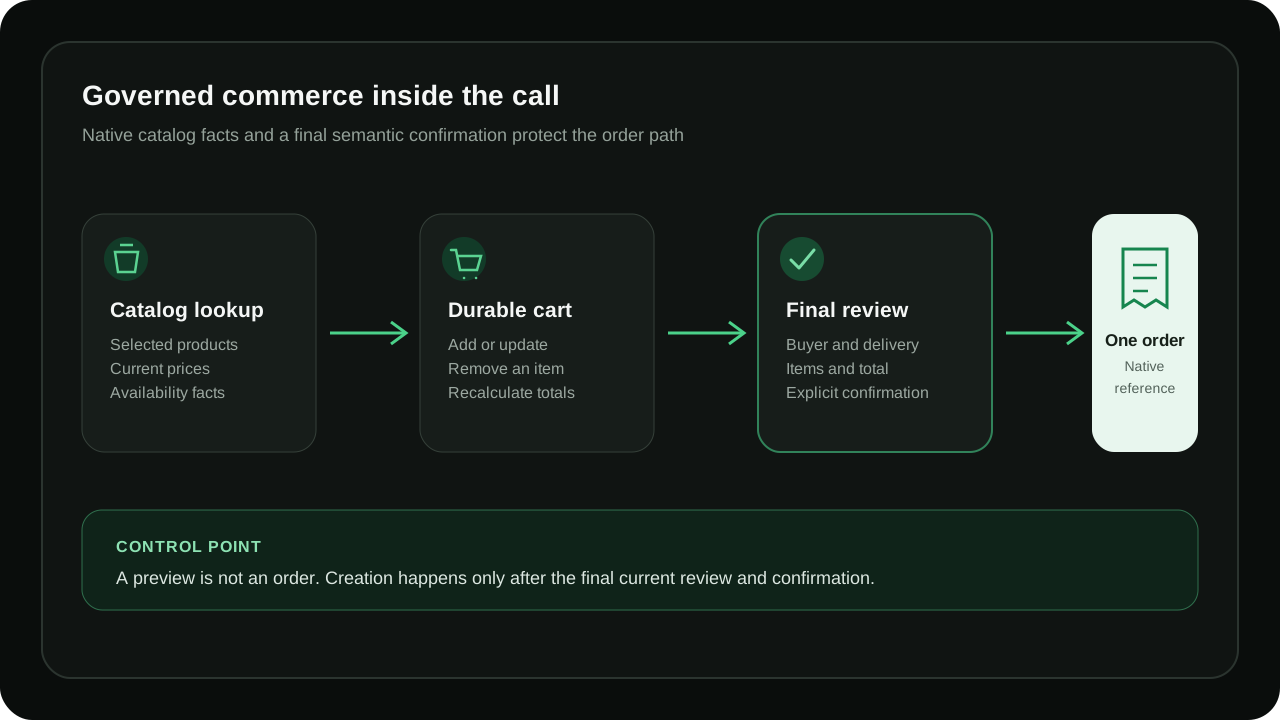
  4. Keep product and order help inside native controls

    When the catalog workflow is configured and authorized, the assistant can answer product questions, use current prices and availability, and add, update, or remove cart items. A current final review and explicit semantic confirmation are required before one native order and reference can be created.

    • Current catalog facts and recalculated totals
    • Registered-buyer and delivery context
    • Exactly-once order creation after final confirmation
    Diagram of current catalog lookup, cart updates, final confirmation, and native order creation during a WhatsApp AI Call
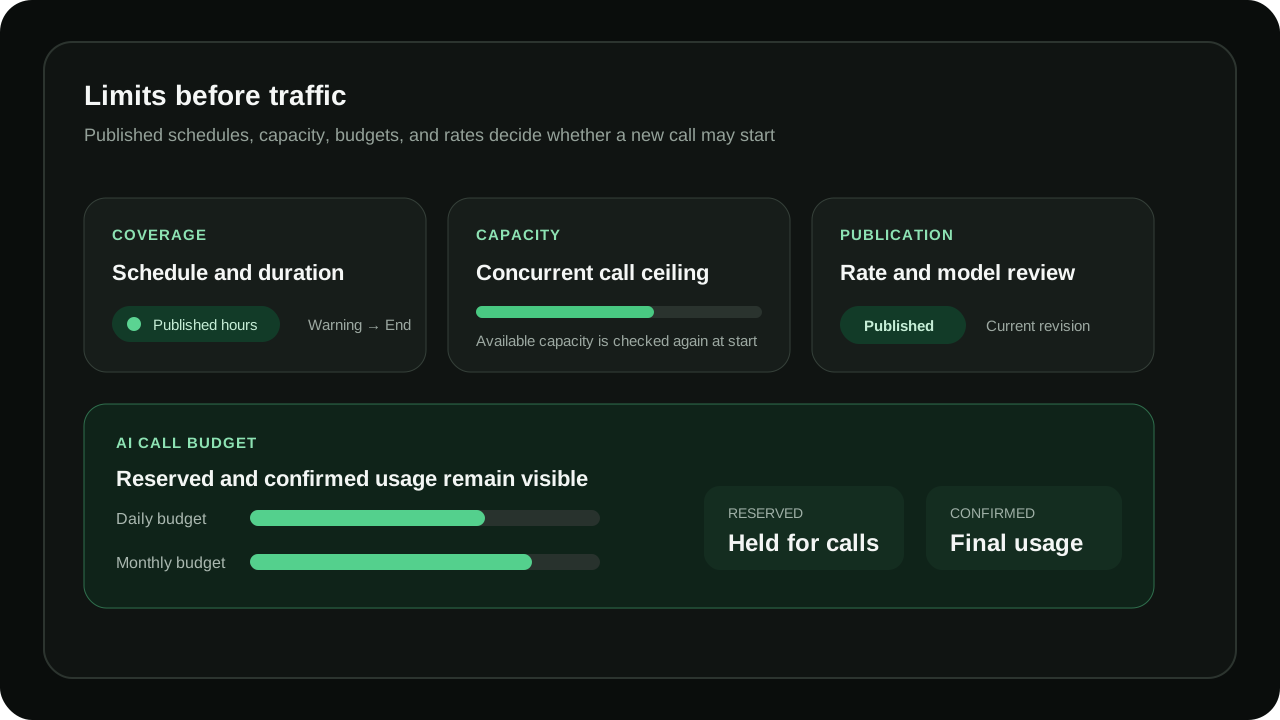
  5. Set limits, budgets, and capacity before calls

    Publish the permitted schedule, maximum duration and warning behavior, concurrent capacity, daily and monthly budgets, and the current rate and model selection. Reserved and confirmed usage remain visible, and availability is checked again when a call begins.

    • Duration, warning, schedule, and capacity controls
    • Daily and monthly budget safeguards
    • Reserved and confirmed usage with rate review
    Diagram of WhatsApp AI Call schedules, duration, capacity, budgets, rates, and publication controls
  6. Review calls, recordings, usage, and weekly reports

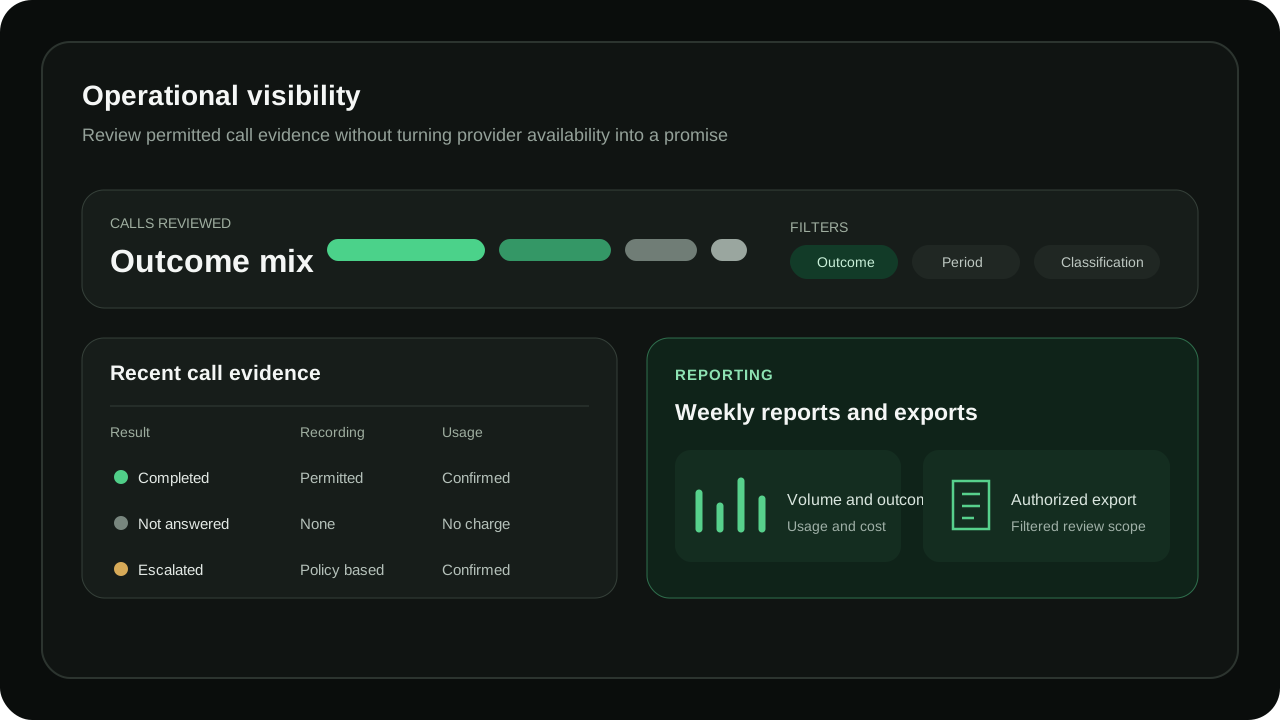
    Authorized teams can review routing attempts, call outcomes, classifications, permitted recording status, usage, and cost evidence. Filtered exports and weekly reports support operational follow-up without hiding provider, network, configuration, or capacity dependencies.

    • Call history and outcome classifications
    • Policy-controlled recording visibility
    • Usage, cost, filtered exports, and weekly reports
    Illustration of WhatsApp AI Call outcomes, permitted recordings, usage, cost, exports, and weekly reports
  7. Support time-sensitive WhatsApp call journeys

    Use the published assistant for common incoming call journeys such as product and order questions, service or booking enquiries, and approved company, policy, or caller-owned status information. The available answer and action scope always follows the configured knowledge and permissions.

    • Product and order questions
    • Service and booking enquiries
    • Approved company, policy, and caller-owned status information
  8. Configure the full workflow from one workspace

    Move through Operation, Business workflow, Knowledge, Voice, Call limits, Conversation context, Guided steps, and Rates and publication. Save drafts safely, review the complete setup, and publish the intended revision before it can affect eligible calls.

    • Eight focused configuration areas
    • Draft-safe editing and readiness review
    • Explicit publication before live use

WhatsApp AI Call questions

Does WhatsApp AI Call answer a standard phone or support line?
No. This feature is for eligible incoming calls to the configured WhatsApp Business number. It does not advertise or provide a separate standard phone or support-line answering service.
Which languages can the assistant use?
The published configuration can use supported Urdu and English language behavior with the selected provider, model, voice, and persona. Actual behavior depends on a healthy configured provider path and the published settings.
Can the assistant create an order during a call?
Yes, when the native catalog workflow is configured and authorized. It uses current native product and pricing facts, reviews the final buyer, delivery, item, and total details, and creates one order only after explicit final confirmation. A preview is not an order.
How is automatic answering controlled?
Schedules, permissions, publication state, duration, capacity, budgets, rates, and readiness checks govern whether a new call may start. Draft edits do not silently change the published answering configuration.
Can authorized teams review calls and reports?
Yes. Available reports can show routing attempts, call outcomes, classifications, usage, cost, and permitted recording status, with filtered exports and weekly reporting where configured.
Does WAPIServer guarantee that every call is answered instantly?
No. Answering depends on Meta calling availability, the configured AI provider, network health, receiver readiness, published coverage, capacity, and budget. The controls and reports make these dependencies visible rather than promising uninterrupted performance.

Test the complete platform for 15 days on the current highest plan.

No payment card is required for the current trial.