
Workflow automation
Connect customer communication to the operational work that follows
Use WAPIServer to connect WhatsApp, website conversations, email, forms, CRM, commerce, invoices, appointments, APIs, webhooks, and n8n into governed customer and business workflows.
- Event, schedule, and customer-driven workflows
- API, webhook, n8n, CRM, and commerce connections
- Permissions, status, retries, and audit evidence
01
Start with an event and an accountable outcome
A workflow can begin with a message, form, campaign response, schedule, contact change, order, appointment, invoice, API request, or supported integration event. Define the expected result, owner, permission, failure path, and evidence before automation runs.
- Message, form, schedule, and record triggers
- Conditions, delays, assignments, and actions
- Clear result and failure states
02
Connect systems through governed interfaces
Use scoped API keys, outgoing webhooks, n8n, Google Sheets, HubSpot, Zoho CRM, WooCommerce, Shopify, and other supported connectors where configured. Each integration retains its authentication, mapping, retry, and provider boundaries.
- API keys and route scopes
- Webhook signatures and delivery status
- Connector-specific mapping and retry rules
03
Operate automation instead of hiding it
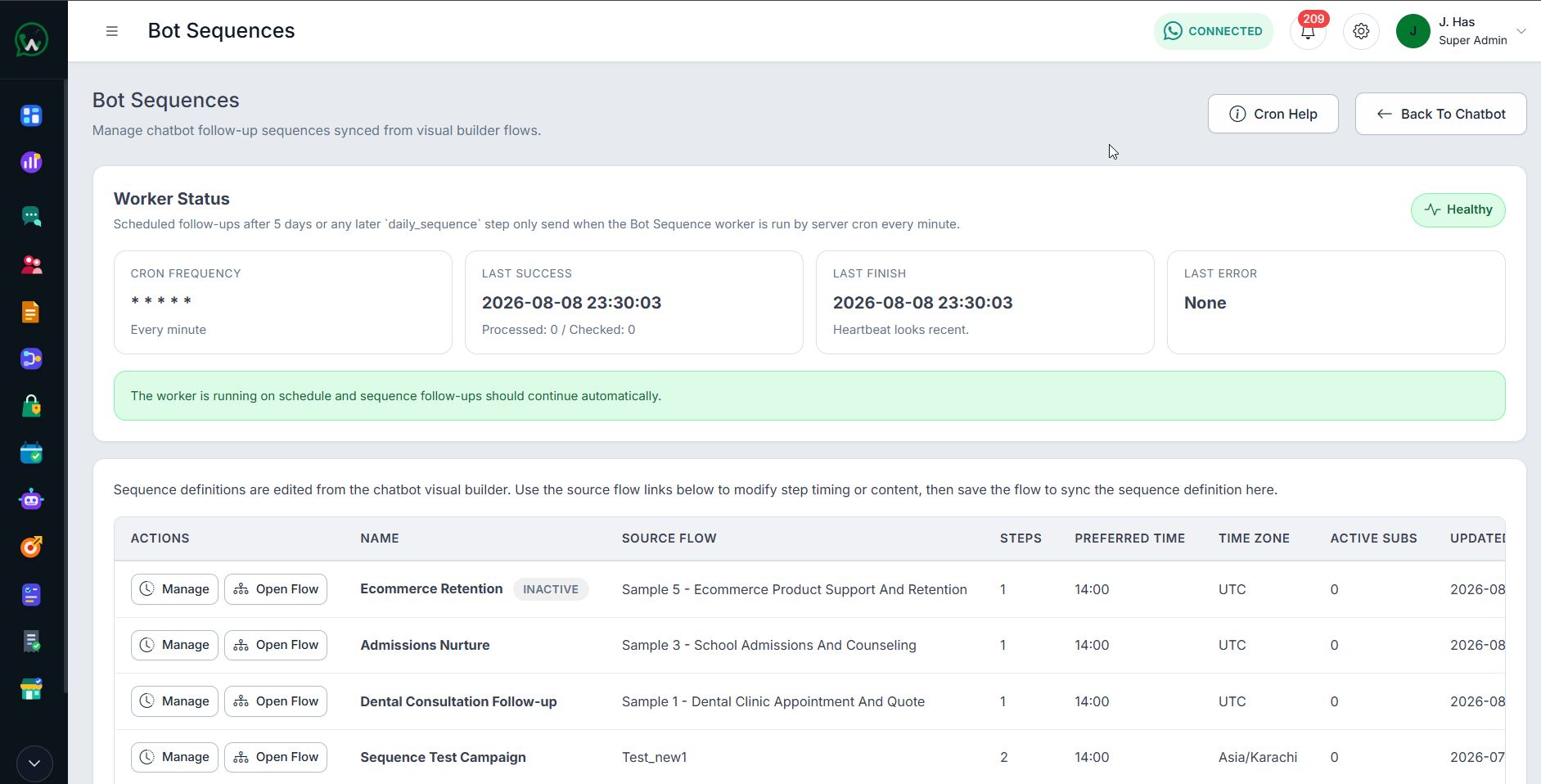
Permissions, queues, worker health, progress, delivery states, audit history, reporting, and human intervention help teams understand what ran, what failed, and what needs attention.
- Queue and worker visibility
- Retry and recovery controls
- Reporting and auditable status
Explore related workflows
Continue with the next relevant capability
Frequently Asked Questions
Workflow Automation Platform questions
What can trigger a WAPIServer workflow?
Can WAPIServer connect to an existing business system?
Is custom integration work included in the licence?
WAPI Product Team
Evaluate WAPIServer with a real business workflow.
The current 15-day trial is available worldwide, uses the current highest plan, and requires no payment card.